
Lex Enterprises
How we work determines
the results.
This document explains the process we take to create websites and the approximate range of hours each stage takes, based on our experience
All projects will vary, with some taking less or more time to complete their stages. This will determines the final cost of producing a successful website or digital platform
How does It work
our working process
Effective planning and following a predefined process, helps reduce build costs, but more importantly ensures we build something that matches your expected outcomes.
01

Discovery Stage
Usually takes 30 to 60 hours. May take longer on projects with a large scope.
02

Design Stage
Usually 60 to 90 hours for average websites.
03

Website Development
Can vary depending on the complexity of the website, normally takes 80 to 320 Hours.
04

Website Launch
The final stage to upload onto your servers.

Discovery Stage
Our website discovery workshop is a detailed discussion designed to assess the ins and outs of your business in order to fully understand the scope of your project. We believe that complex problems require careful thought, in-depth planning, research, and purposeful execution. Discovery allows all parties to come to a consensus on business goals and digital strategy.
It defines all major aspects of the website roadmap (sitemap, features, CTAs, etc). Not only does it help us provide you with a more accurate estimate, it’s also an incredibly useful way to gain internal support for your project. The deliverables include an assessment of findings and our recommendations for moving forward, complete with timeline and budget.
Usually takes between 30 to 60 Hours


The Brief
Client input is the foundation on which successful websites are built. We will give you a brief to fill in which will help you articulate and identify the overall goals of your website, including specific questions regarding message, audience, content, look and feel, and functionality.
This information will form the basis of our proposal and will be a key factor in the success of your website, so try to go into as much detail as possible.

User Research
User research helps us understand the needs and behaviours of your target audience. User research typically involves a variety of methods, including surveys, interviews, user testing, and analytics.
The purpose of user research is to gather insights into how people will use the website and what they want from it. By conducting user research, we can identify pain points, user goals, and preferences, which will be used in the design process.
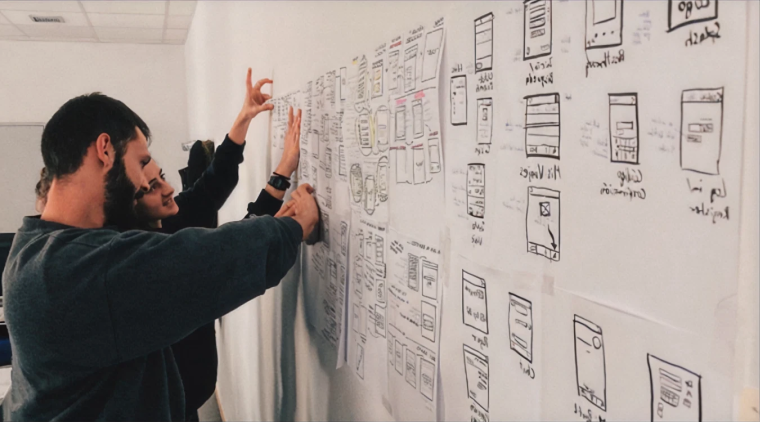

Competitors Analysis
To gain inspiration for your website, we begin by identifying the main competitors, as well as the indirect competitors in your market. Our goal is to compare and identify common features across these sites and potential opportunities for your site to differentiate itself.
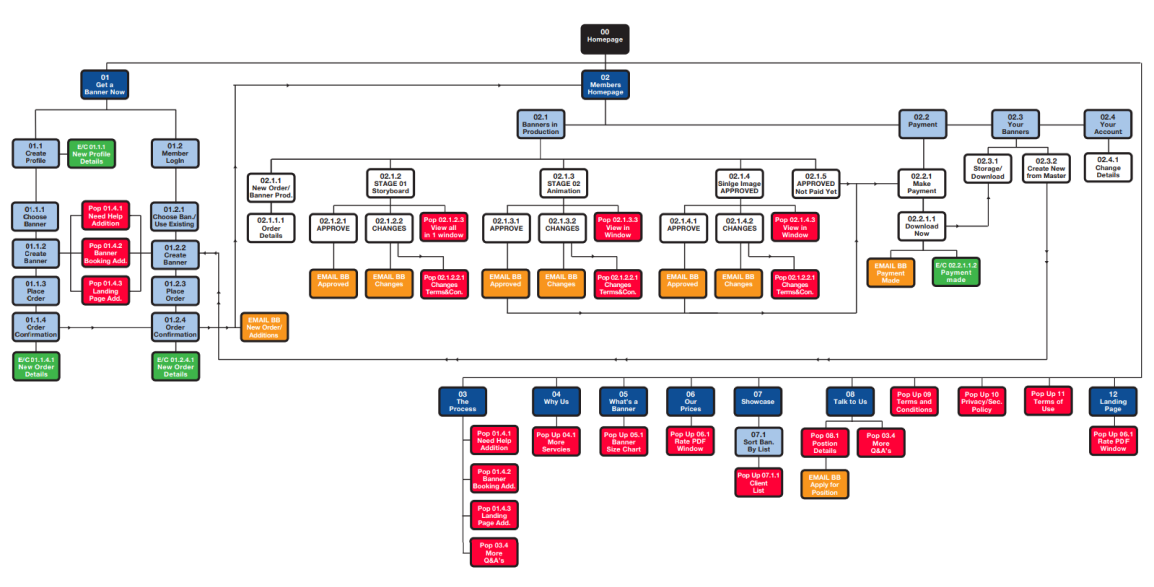
Site Map
The designer will create a site map to define the overall structure of the website. This is to ensure that the products/services are going to be placed where users would expect to find them when visiting the website and make the experience more intuitive.

Example of
Sitemap

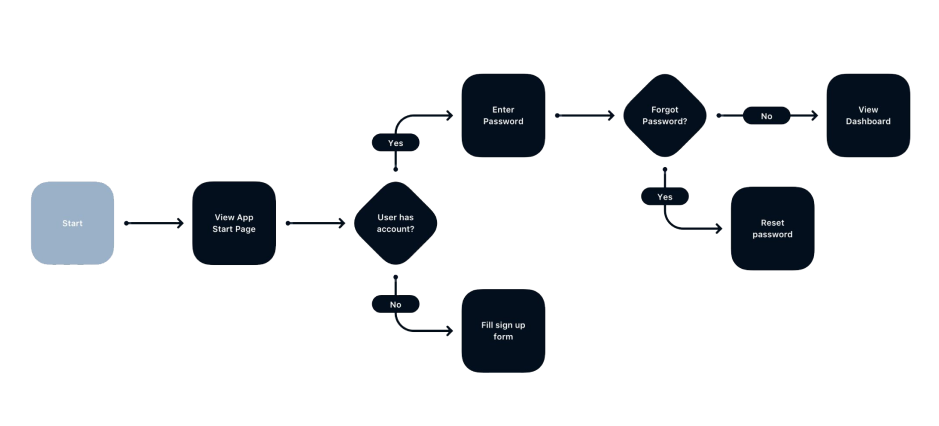
User Flow
The designer will create a user flow for each of the users of the website mapping out each and every step the user takes from entry point right through to the final interaction in order to complete their goal.
This will help us to discover the functionality that the users needs to accomplish their goals, and how to deliver that experience in the most effective manner possible when designing your website.

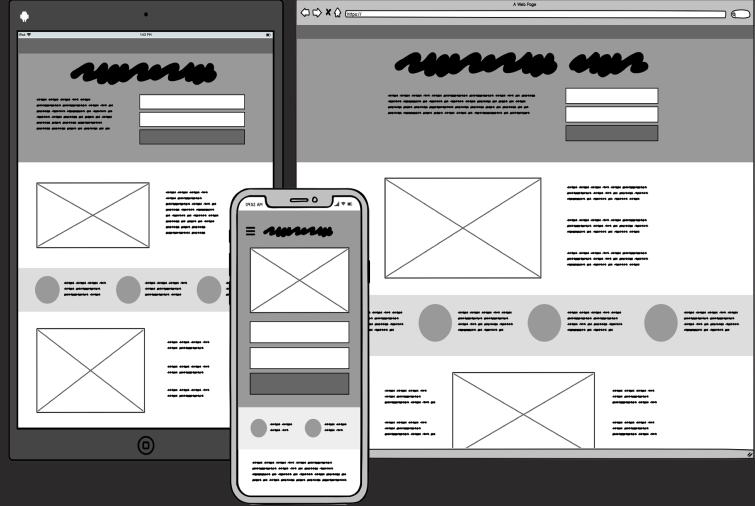
Low to High fidelity Wireframes
This is like the blueprint for the website and helps us to prioritise content. We create this simple, black and white, site outline with the client as a starting point for the visual design and structure of the website. It helps to illustrate how the content and functionality will be laid out on a page, as well as considering user needs and journey.ng surveys, interviews, user testing, and analytics.

Functional Requirements(PID)
We will create the technical specifications, estimated costs, and timelines to build the website. We’ll also look at other elements like security, loading times or any legal implications.
All of our findings and recommendations are then pulled together in a comprehensive report.


Design Stage
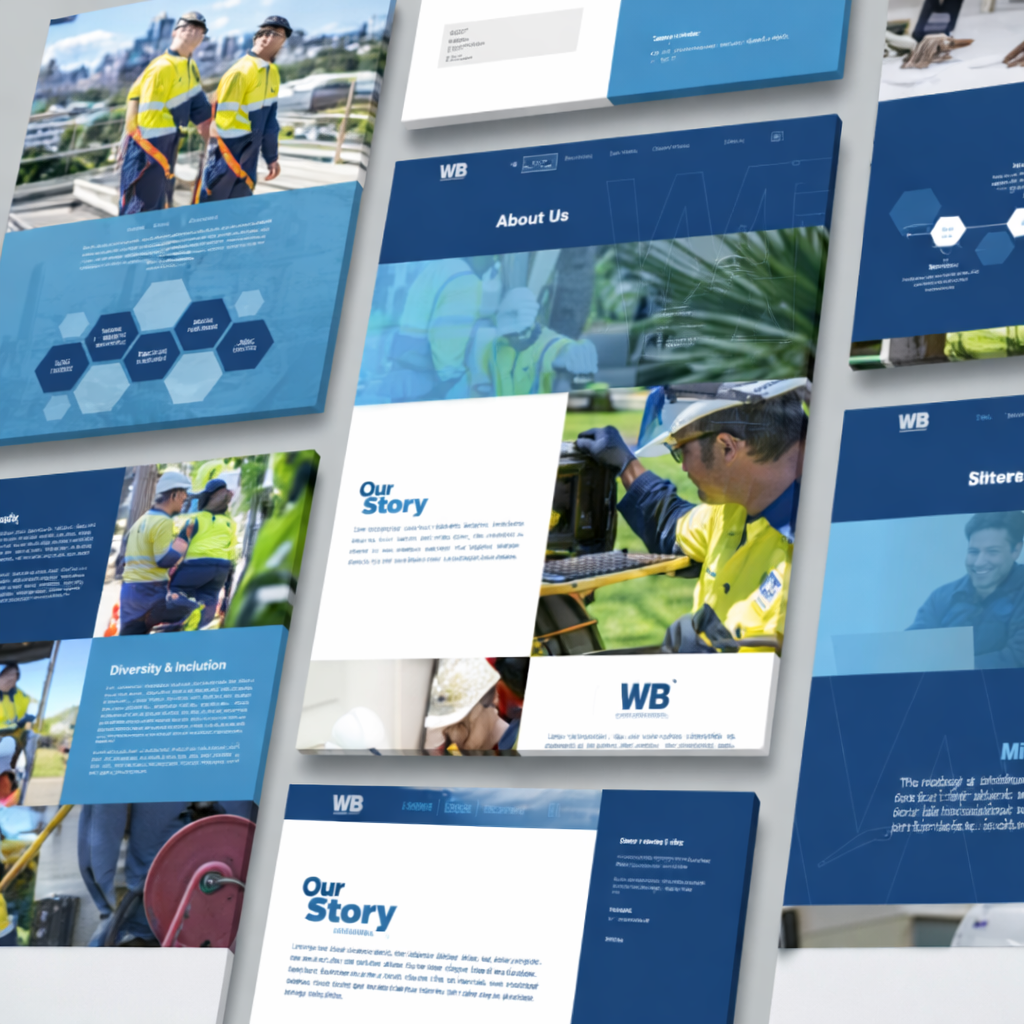
Now we take all the work we did in Discovery Stage and start working on the look and feel of the website. What is going to be the user experience when they land on your website, What is the style of layout. How does that fit in with your brand. Is it easy to understand and communicate your message. Are we looking current and surpassing the industry average.
→ Usually takes between 60 to 100 Hours

UX and UI Designs
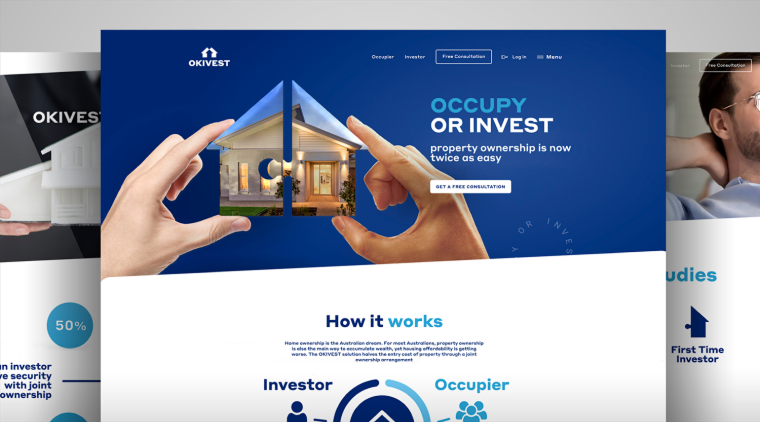
We apply the brand guidelines to the user interface (UI) and begin building content for the site (animations, photography, copy etc). Using our flow diagrams from the discovery phase, we optimise the user experience (UX) to make sure it’s engaging and efficient

Figma Clickable Prototype
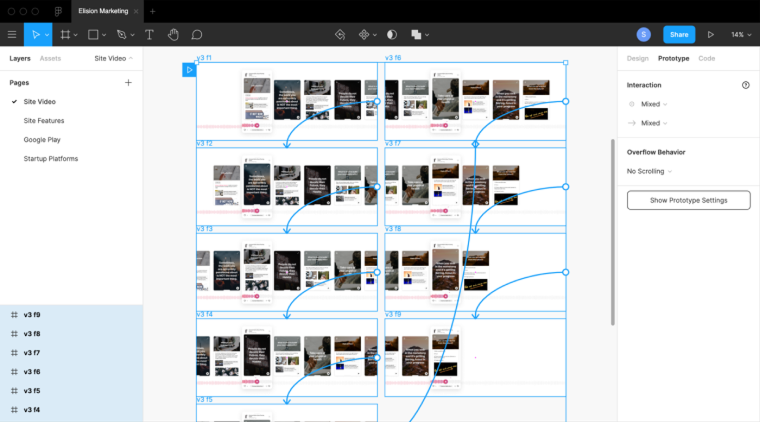
This allows us to transform static designs into clickable prototypes. Using Figma means we can easily collaborate with clients and content creators, as all parties can add comments.

Website Development
During this stage, our developers are in their element; building, writing fresh code and testing to make sure the website is slick and super-speedy.
This is the most technical part of the build, so we’ve explained some techie terminology and the tools we use:
Usually takes between 80 to 320 Hours



Version control with Git Hub
A digital repository, where we can access our projects and all the versions of each website code. This is great as it means we can track changes, revert back if something goes wrong and collaborate on the code with multiple developers.
Hosting Setup
This is based in an Australian data center, using Nginx technology, which makes it super-fast.
Install Content Management System (CMS)
For this we tend to work with either WebFlow or WordPress.
Build of front-end mobile Responsive designs
This is important because Google indexes content that’s designed to be responsive on all devices and it makes the website function well for users across all devices.
Create database and Custom fields
For content uploading in the CMS (e.g. WordPress or WebFlow) We'll create text and image fields for each area of content and, if the budget allows, we also provide an online image crop tool.
Install/Setup plugins and 3rd party CRM tools
Examples of these include marketing automation tool Sharp Spring, Salesforce, Pipedrive and Hubspot or Podio, Zoho.
Populate site with Content
We work with the client to add the agreed content throughout the site.
Optimise Code
This improves site speed, which is great for SEO. For example, by minimising the CSS and JavaScript, we can improve website speed.
Cross browser and Device testing
We test that the website works perfectly on all browsers, such as Chrome, Safari, Internet Explorer, Edge or Firefox, as well as across devices, including desktop, tablet and mobile (iOS and Android).

Website Launch
We run a series of final checks and make sure the client has the skills needed to start working with their new site. These include:

Final SEO Checklists
Our SEO team runs a final audit.
Install tracking Tools
Such as Google Analytics and Google Webmaster. This will help us analyse website performance. We also use our own Audience Tracker, a website tracking tool specifically for business-to-business clients that enables clients to gather valuable analytics. If the visitor to your site has registered their IP address to a business, then we can pull this data into our Audience Tracker.
Client Training
We provide training and an easy CMS how to manual so that clients can quickly and easily add new content, images and video and create landing pages to keep the website fresh.
Bug Tracking
We offer two weeks free bug tracking to fix any issues that crop up post-launch.